

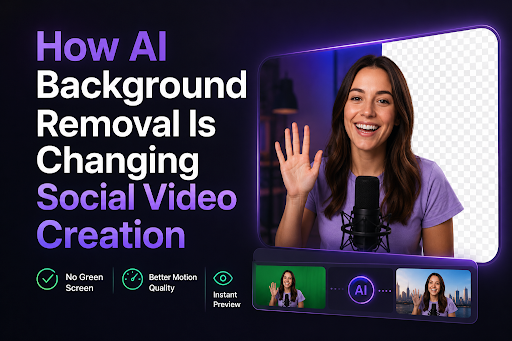
Short-form video has become central to online creativity. Influencers, independent creators and small brands regularly produce tutorials, fashion clips, product demonstrations and lifestyle content for multiple platforms. However, maintaining a polished visual identity can be difficult when footage is recorded at home, while travelling or in other uncontrolled environments.
AI background removal offers a practical solution. It can separate the subject from the original setting and make footage easier to place within a new visual concept. Creators researching tools such as a runway background remover are often comparing processing quality, ease of use and the flexibility to repurpose one recording across several channels.
Why Video Backgrounds Matter
The background helps establish the mood of a video before the viewer processes its message. A cluttered room can distract from a fashion demonstration, while an unrelated setting can weaken an otherwise polished brand collaboration.
Removing the original environment gives creators greater control over presentation. The subject can be placed over a clean colour, branded design, product visual or setting that supports the intended story.
The objective is not to make every video look artificial. It is to ensure the environment contributes to the content instead of competing with it.
From One Recording To Multiple Posts
Creators often need to adapt the same idea for vertical videos, square posts, advertisements and website content. Recording a separate version for every platform consumes time and makes visual consistency harder to maintain.
An isolated subject is easier to reposition for different aspect ratios. One clip can become a vertical social video, product-page asset, campaign variation or tutorial overlay.
This approach increases the value of each recording session and allows creators to publish more frequently without constantly producing new source footage.
Common Creative Uses
AI background removal can support:
- Fashion and beauty demonstrations
- Product reviews and sponsored content
- Makeup and styling tutorials
- Social media introductions
- Lifestyle and travel videos
- Online course material
- E-commerce promotions
- Short-form advertisements
- Music and performance clips
- Personal branding content
Each use benefits from the ability to control the setting after filming.
What To Compare Between Tools
Background-removal tools can differ significantly in their output and workflow. Creators should evaluate factors that affect their actual publishing process rather than choosing solely by brand recognition.
Important considerations include:
- Edge quality around hair and clothing
- Stability during fast movement
- Processing time
- Supported file formats
- Resolution and export limits
- Transparent-background support
- Browser and device compatibility
- Watermarks and pricing
- Ease of use for non-editors
Testing the same short clip with different tools can provide a more useful comparison than feature lists alone.
Source Footage Still Affects Quality
AI can simplify subject separation, but it cannot fully compensate for poor input. Low light, heavy motion blur and weak contrast between the subject and background may create rough or flickering edges.
Creators can improve results by using stable front-facing light, keeping the camera steady and avoiding clothing that closely matches the environment. Hair, transparent materials and fast hand movements deserve particular attention during review.
Processing a short sample before uploading a long video can prevent wasted time.
Choosing A Replacement Background
Removing the original setting is only the first step. The replacement should match the subject, platform and purpose of the content.
A beauty tutorial may work best with a clean neutral setting. A fashion clip could use a coordinated colour or editorial environment. Product content may benefit from branded graphics or supporting imagery.
Busy backgrounds can make the result harder to watch. In most cases, a simple setting with clear contrast keeps attention on the creator.
Avoiding An Artificial Look
Poorly matched lighting is one of the main reasons replaced backgrounds look unnatural. If the subject is lit warmly but the new environment appears cool and dark, the two layers may feel disconnected.
Creators should consider light direction, colour temperature, scale and perspective. Subtle colour correction and a soft contact shadow can help the subject feel grounded in the new setting.
The background should also remain visually subordinate unless it carries information essential to the video.
Responsible Editing
Background replacement is generally a creative presentation technique, but transparency still matters. Creators should avoid using altered settings to misrepresent locations, events or endorsements in ways that could deceive viewers.
Sponsored content should follow the relevant platform and advertising disclosure rules. Creators should also confirm that they have permission to use any replacement images, footage or branded assets.
Final Takeaway
AI background removal is changing social video creation by giving creators more control over where and how their footage can be used. It reduces dependence on perfect filming locations and helps one recording support multiple platforms and visual styles.
The best results come from clear source footage, careful tool comparison and replacement backgrounds that support the subject. Used thoughtfully, the technology can make content production faster while preserving a consistent and credible visual identity.












Leave a Reply